
A free website with Mailchimp can give a small business, nonprofit, or community project a polished online home without adding another monthly expense. It will not replace a fully customized site, but it can be an excellent way to share essential information, collect email subscribers, and start building credibility.
What should you prepare before building the website?
Gather the basics first:
- Write a short description of what you do and who you serve.
- Choose a logo, brand colors, and two or three strong images.
- Prepare your contact details, social links, services, and primary call to action.
- Decide what visitors should do next—call, email, subscribe, donate, or follow you online.
Keeping the content focused will make the building process much faster.
How do you create the website in Mailchimp?
- Create or sign in to your Mailchimp account.
- Select the Website icon, then choose Website.
- Enter the website name and click Next.
- Select the Mailchimp audience you want connected to the site.
- Click Edit My Site to open the website builder.
Your audience connection matters because signup forms on the website can add subscribers directly to that list.
How do you add pages and customize the design?
- Open Styles to select your colors, fonts, backgrounds, and button appearance.
- Edit the homepage sections with your own text and images.
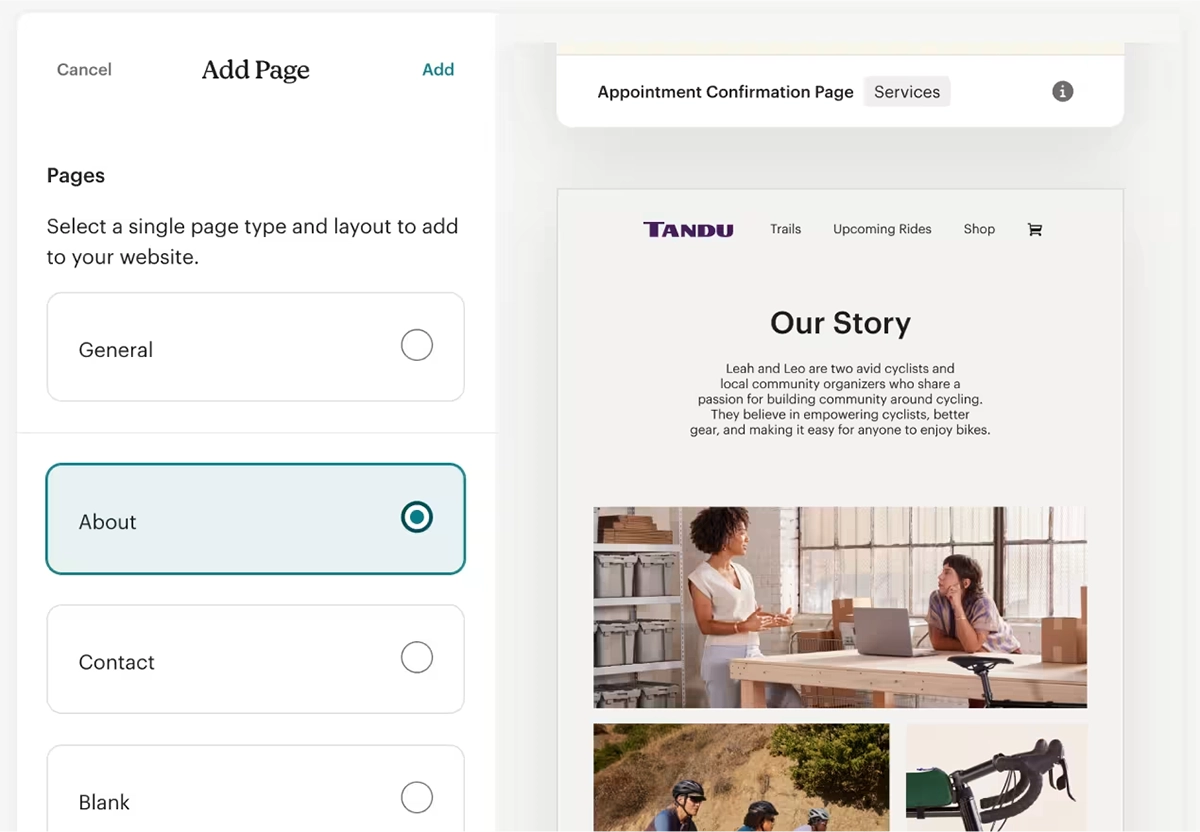
- Open Pages, select Add, and choose a layout for pages such as About or Contact.
- Keep the navigation simple and place the most important information first.
- Add a signup form if growing your email list is one of your goals.
Mikey & Furiends shows what a free website with Mailchimp can accomplish. Its site clearly introduces the pet-care business, explains its services, and gives visitors an easy path to learn more, all without unnecessary complexity.
How do you choose a domain and publish the site?
- From the website dashboard, open Settings and select General Settings.
- Under Domain, choose a Mailchimp domain and create your preferred subdomain.
- Review each page’s URL and SEO settings.
- Preview the website on both desktop and mobile.
- Select Review & Publish, review the terms, and click Accept Terms & Publish.
The free version uses a mailchimpsites.com address. A custom domain requires an upgraded Websites plan.
When is a free Mailchimp website the right choice?
A free website with Mailchimp works well when you need a simple, credible presence quickly. It is especially useful for new businesses, community projects, temporary initiatives, and organizations with limited content.
Once you need advanced functionality, custom integrations, stronger search visibility, e-commerce, or a more distinctive brand experience, it may be time for a custom website.
Explore our Websites services when you are ready for the next step, or browse our Portfolio for ideas on how design and functionality can grow with a business. Contact Us to discuss your website goals, and Subscribe to our Newsletter for more practical digital guidance.